
Resources for U26-001

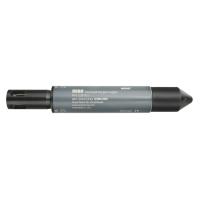
HOBO Dissolved Oxygen Data Logger

U26-001 Data Sheet
71 results found.

Cell constant note

Because the U24 data logger uses a noncontact AC conductivity measurement system, the cell constant varies over the measurement range.

Working with the HOBO U26-001 Dissolved Oxygen Data Logger

Learn about the HOBO U26-001 Dissolved Oxygen (DO) logger, including lab & field calibration, configuration in HOBOware, data plotting, and how to use the HOBOware DO Assistant. (Runtime: approx 1hr 5min)

Using specific conductance to calibrate data

It is okay to use specific conductance at 25C as calibration points. To calculate specific conductance at 25C from conductivity and temperature, use the attached spreadsheet.

Optic data logger not recognized by HOBOware using Windows 8.1 or Windows 10

The new Windows power-saving updates may cause the Base Station (part number BASE-U-4) and Waterproof Shuttle (part number U-DTW-1) to appear inactive even though a data logger is physically attach

How to use HOBOware's filter function to better analyze your data

Harness the power of HOBOware by using filters to make your data more meaningful.

Merging data files using HOBOware Pro, a deep dive

Learn how to use the power of HOBOware Pro to combine data files

Installing HOBOware and Managing License Keys

Learn how to install and manage your HOBOware software application.

How to use rules for value axis scaling in HOBOware

Learn how to use rules in HOBOware to set preferred value axis scaling.

How to automatically readout and save data from a HOBO USB data logger

Learn how to configure HOBOware Pro to automatically readout and save data from your USB loggers

How to navigate the HOBOware plot screen

Learn how to navigate the HOBOware software plot screen