Image

Most facilities don’t have a “data” problem—they have a “signal” problem. Even if you have a building automation system (BAS), meters, and dashboards… you still may not be able to answer basic questions like:
That’s where time‑of‑use data logging comes in. HOBO occupancy and runtime loggers record state changes (on/off, occupied/unoccupied, open/closed) so you can turn a week of monitoring into clear, actionable findings.
Time‑of‑use logging focuses on events and durations of use instead of continuous analog measurements. Rather than recording “how much” (kW, CFM, °F), these loggers record “when” and “for how long.” That makes them fast to deploy and easy to interpret—ideal for audits, verification, and troubleshooting when you need truth on schedules and cycling behavior. Equipped with this information, you can ensure optimal performance to protect your investment and bottom line.
Quantify actual runtime for HVAC, fans, pumps, and lighting circuits
Verify that sequences and schedules behave as designed
Identify excessive cycling and abnormal run‑hours that indicate mechanical issues
Validate occupancy assumptions before resizing systems or changing ventilation strategies
A simple way to choose a logger for your monitoring needs is to match the signal you need to capture to the logger:
Logger | Best for | Product link |
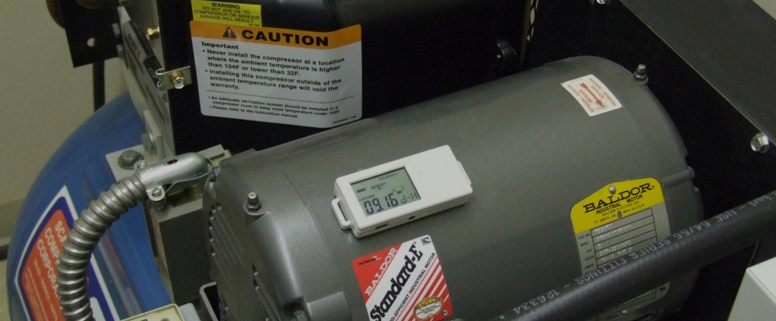
HOBO Motor On/Off Data Logger (UX90‑004) | Motors, compressors, fans, pumps—captures on/off cycles and total run‑time. | |
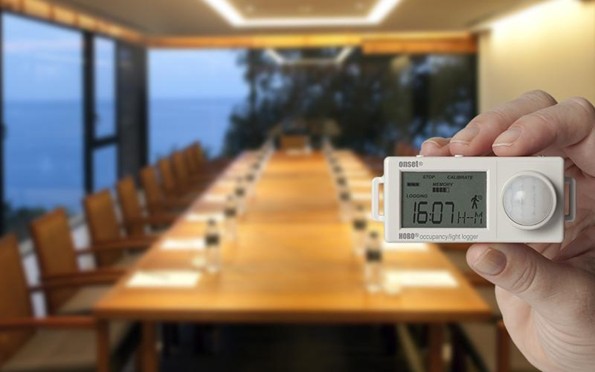
HOBO Occupancy/Light Data Logger (UX90‑006) | Occupancy patterns and lighting behavior—ideal for conference rooms, offices, classrooms. | |
HOBO Light On/Off Data Logger (UX90‑002) | Lighting schedules—identify after‑hours operation and verify controls. | |
HOBO State Data Logger (UX90‑001) | Dry contact closure inputs (e.g., equipment status, door switch, valve open/closed). |
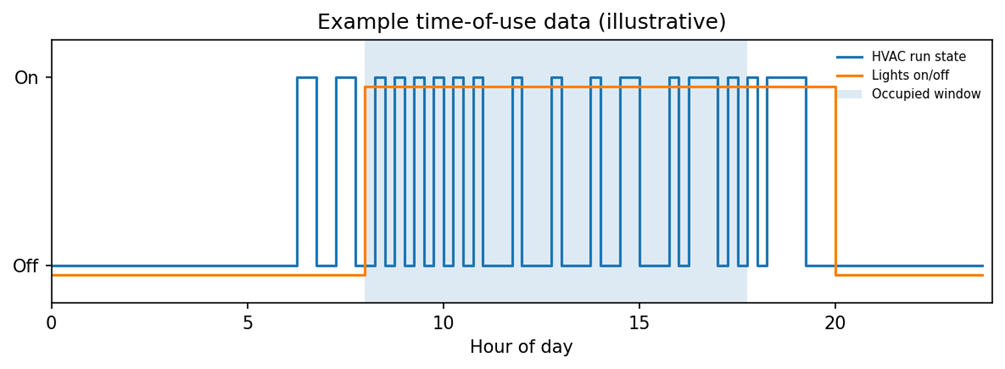
Once downloaded, you can quickly visualize runtime and compare it to expected schedules. Below is an illustration that shows how time‑of‑use data can expose short‑cycling and after‑hours lighting issues:
For most audits, a small kit of time‑of‑use loggers can cover monitoring the majority of building systems. Start with the equipment you suspect is driving cost or comfort complaints—then expand monitoring as needed.