
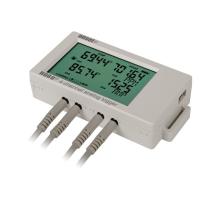
Resources for UX120-006M

HOBO 4-Channel Analog Data Logger

UX120-006M Data Sheet
54 results found.

Wiring Diagram - Measuring Compressed Air Flow with a stand alone analog logger

Attached is a drawing that shows you how to connect a UX120-006M logger to the compressed air flow meter from CDI, p/n T-CDI-5400-20S or the T-CDI-5200-10S via the CABLE-4-20MA adapter cable.

Wiring Diagram - Monitoring AC Current and Voltage on a Residential Panel - UX120-006M

Attached is a drawing that shows how to use the UX120-006M data logger to monitor 240 VAC voltage via the Conlab T-CON-ACT-300 voltage transducer.

How to use HOBOware's filter function to better analyze your data

Harness the power of HOBOware by using filters to make your data more meaningful.

HOBOware's Linear Scaling Assistant

Learn how to scale analog sensor data using the Linear Scaling Assistant

Merging data files using HOBOware Pro, a deep dive

Learn how to use the power of HOBOware Pro to combine data files

Installing HOBOware and Managing License Keys

Learn how to install and manage your HOBOware software application.

How to use rules for value axis scaling in HOBOware

Learn how to use rules in HOBOware to set preferred value axis scaling.

How to configure and launch a HOBO UX120-006M 4-channel analog Data Logger

Learn how to use HOBOware to configure a UX120-006M 4-Channel Analog Input Logger

HOBOware Pro, secure mode and 21 CFR Part 11 compliance

Learn how to configure HOBOware Pro to run in secure mode to support 21 CFR Part 11 compliance

How to automatically readout and save data from a HOBO USB data logger

Learn how to configure HOBOware Pro to automatically readout and save data from your USB loggers