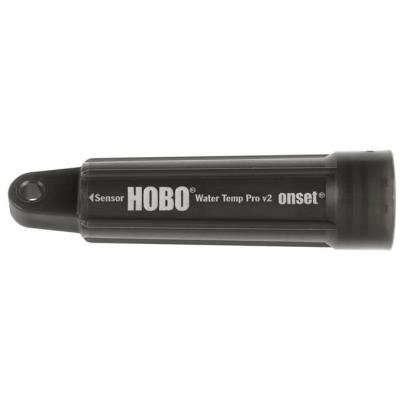
Use the tabs on this page to access basic information, detailed specifications, compatible and required items, accessories, and support.
Provides a general overview of this item including main feature set, its usage environment and measurements type(s)..
Provides detailed specifications on this item.
Use this tab to access the steps 1-3 sub-tabs below:
1. Compatible Sensors
2. Communications
3. Software
Provides a list of available accessories for this item.
If available - this tab contains links to various resources that either feature or pertain to this item, i.e. podcasts, white papers, application stories, etc.
Use this tab to access the steps 1-3 sub-tabs below:
Manuals
Maintenance
FAQs
HOBO® Temperature/Light (waterproof) Pendant Data Logger - UA-002-64
A miniature two-channel temperature and relative light level data logger, this 64K model is waterproof and value-priced for deployment in indoor, outdoor, and underwater applications measuring relative light levels and ambient temperatures. This 64K model stores approximately 52K of 10-bit readings.
Low-cost temperature with alarm indication or light intensity
Waterproof housing for wet or underwater use
Data readout in less than 30 seconds via fast Optic USB interface
Environment:
The UA-002-64 Data Logger is for use in Outdoor and Underwater environments
Measurements:
The UA-002-64 Data Logger supports the following measurements : Light Intensity, Temperature
Measurement range Temperature: -20° to 70°C (-4° to 158°F) Light: 0 to 320,000 lux (0 to 30,000 lumens/ft2)
Accuracy Temperature: +/- 0.54°C from 0° to 50°C (0.97°F from 32° to 122°F) Light intensity: Designed for measurement of relative light levels
Resolution: Temperature: 0.10°C at 25°C (0.18°F at 77°F), see Plot A
Drift: Less than 0.1°C/year (0.2°F/year)
Response time: Airflow of 2 m/s (4.4 mph): 10 minutes, typical to 90%
Water: 5 minutes, typical to 90%
Time accuracy: ± 1 minute per month at 25°C (77°F), see Plot B
Operating range In water/ice: -20° to 50°C (-4° to 122°F) In air: -20° to 70°C (-4° to 158°F)
Water depth rating: 30 m from -20° to 20°C (100 ft from -4° to 68°F), see Plot C
NIST traceable certification: Available for temperature only at additional charge; temperature range -20° to 70°C (-4° to 158°F)
Battery life: 1 year typical use
Memory UA-002-08: 8K bytes (approximately 3.5K combined temperature and light readings or events) UA-002-64: 64K bytes (approximately 28K combined temperature and light readings or events)
All HOBO and StowAway data loggers shut off when the memory is full (unless wrap around is selected), or the data is downloaded to a computer. Once the data is downloaded to the computer, the data logger is in off mode and will need to be relaunched to continue data collection. If the data logger you are using is shuttle-compatible and you are downloading to a shuttle, the shuttle will automatically relaunch the data logger using the previous settings.
All U10 and U12 data loggers are fully compatible with the Real-Time Alarm Software. The data loggers can connect to a USB port on the computer or remotely through an Ethernet network using a Keyspan USB Server. HOBO Weather Station (H21) and HOBO Energy Logger (H22) data loggers connected to a serial port on the PC are also compatible. The remote communication products for HOBO® Weather Stations are not supported.
A discharge of static electricity may cause a running data logger to stop recording. Precautions should be taken to prevent this while handling the data logger. Discharges may occur in the following situations:
When there is a charge difference between the data logger and a cable being connected to it or a person touching an exposed jack.
HOBO/StowAway data loggers shut off when the memory is full (unless wrap around is selected), or the data is downloaded to a computer. Once the data is downloaded to the computer, the data logger is in off mode and will need to be relaunched to continue data collection. If the data logger you are using is shuttle-compatible and you are downloading to a shuttle, the shuttle will automatically relaunch the data logger using the previous settings.
Relaunching a logger before the data has been saved
Technical problem with the logger itself.
The following section discusses data loss and its causes; it also discusses methods of retrieving lost data, and how to insure against data-loss problems.
If possible, remove the board from the case and the battery from the board. Dry the board completely using a hair dryer. If the board was exposed to salt water, rinse the board with fresh water and then dry the board. You may try inserting a new battery and downloading the data. If you are unable to access the data, or see any sign of corrosion or tarnishing on the board, contact the place of purchase for a return number. The data may be retrievable, and the data logger may be repairable. Charges will apply and are dependent on the amount of damage.
As a general rule, no. This is dependent on the data logger you are using and the chemical and/or concentration of the chemical that the data logger is exposed to. Many chemicals will have an adverse effect on the data loggers and/or the sensors that the loggers utilize. Contact your authorized sales representative with questions regarding specific chemical contact with the data logger that you are using.
There is a small bug in early versions of the HOBO Water Temperature Pro data loggers that result in premature starting in some cases (when using the delayed-start feature). With the affected data loggers there is a 0.4% chance they will start up to 4.3 minutes early, and a 0.4% chance they will start up to 18.2 hours early. If premature delayed-start occurs, all measurements are taken at the correct sampling rate and stored with the actual times they were taken, but there will be extra readings at the beginning of the data file.
Open HOBOWare, plug the logger back in, then click on Start->Settings->Control Panel->System. Click on Hardware->Device Manager and look for the logger listed under: Other Devices or Human Interface Devices — there could be a minus sign beside one of the categories or a yellow exclamation point through the device. The description listed should indicate if it is a HOBO or not. If it is not a HOBO, do not uninstall it, as it may be another USB device. Delete the "other device," then unplug the logger, wait 15 seconds and plug it back in.
Check both the logging and the sampling interval to make sure they are greater than one-minute intervals. For example, with a sampling interval of one second, the HOBO Weather Station doesn't sleep and there is a constant drain to the batteries. Make sure that you have protected the board from condensation and insects.
The Optic and Tidbit data loggers must be inserted into the Base Station in order for the computer to detect them; it will not detect the Base Station alone. Check to make sure that the coupler is positioned properly and the magnet end is closest to the data logger, not the Base Station or the Optic Shuttle. It is important to keep the Optics and Tidbits free from obstructions such as dirt and algae. Do not use any chemicals to clean the data loggers. Clean the Optics with warm water and mild dish detergent.
No. The data is stored on non-volatile EEPROM. For data loggers with external batteries: change batteries and offload data, then relaunch normally. For data loggers with internal batteries: as long as the EEPROM has not been damaged, the data can be retrieved by Onset Computer Corp. Please contact the place of purchase for a return authorization number and request data back service.
If the sensor is removed for more than 5 minutes while logging, the data logger will no longer recognize the sensor when it is reconnected. At that point it is necessary to relaunch the data logger in order to initialize the sensor, as the data logger will not recognize the sensor
The first and last event on your datafile is a stamp of the start and end time. For an accurate account of events, these two must be deducted from your totals.
No! These light intensity data loggers are designed to give you a general comparative idea of how much light there is in an area: sunlight v. shade, lights on/off, etc. If you plan on recording specific lighting information or absolute values, these data loggers will not work for you.
The HOBO HLI and the StowAway light intensity data loggers can be used outdoors, if they are placed in a waterproof container with desiccant packs. If the container is curved or varying in thickness, the case may act as a lens, either concentrating or dispersing the light passing through it, leading to incorrect readings.
The two most popular scales for light measurement are Lux, which is the European measure, and Foot-candles, which is the U.S. scale.
Lux and Foot-candles are measures of illumination - the amount of light falling on an object per unit area. The difference is whether the light is measured in square meters or square feet:
A discharge of static electricity may cause a running data logger to stop recording. Precautions should be taken to prevent this while handling the data logger.
Discharges may occur in the following situations: When there is a charge difference between the data logger and a cable being connected to it or a person touching an exposed jack.
The CO data logger should be checked, at a minimum, on a yearly basis. Proper testing requires a CO testing chamber. If you do not have access to one, you may contact the place where you purchased the HOBO CO data logger and return it for testing. If the data logger is not reading within specification, the sensor will need replacement. Please note that the sensor should not be removed from the board for more than 1-2 hours. If the sensor has been removed for a period of time, allow 24 hours from the time it is replaced for the readings to stabilize.
The maximum recommended impedance for analog sources is 2.5 K. This value is calculated based on the maximum leakage current of the input pin. The leakage current is 100 nA max., and the analog input voltage cannot be varied by more than 1/4 LSb or 250
All U10 and U12 data loggers are fully compatible with the Real-Time Alarm Software. The data loggers can connect to a USB port on the computer or remotely through an Ethernet network using a Keyspan USB Server. HOBO Weather Station (H21) and HOBO Energy Logger (H22) data loggers connected to a serial port on the PC are also compatible. The remote communication products for HOBO® Weather Stations are not supported.
If your Keyspan USB server has its power interrupted while you are running an alarm configuration, HOBOware will lose its connection to the data loggers attached to the server. This will cause the monitor to send a notification indicating there has been a communication failure, if you enabled communication failure notifications in the alarm configuration for the data loggers attached to the server.
For best performance, connect the USB cable directly to a port on your computer. The USB ports on your computer may be more reliable than hubs or keyboard ports.
The original version of the Pendant Base Station, with serial numbers below 961469, has a known issue that results in slower communications with HOBOware 2.1.1 for Mac.
We receive many calls requesting information on how to calibrate our data loggers. While our data loggers cannot be calibrated, you can certainly check to see if the data loggers are recording within their specifications. Ideally, testing should be done in a controlled environment. Unfortunately, not everyone has access to this type of environment.
An issue has been discovered with the database access layer, causing invalid latest conditions to be shown for U30 analog port sensors. The data in the files and graphs is correct. A fix has been implemented and is currently being tested. A release of this fix is expected in August.
A data logger (or datalogger), commonly referred to as a 'HOBO', is an electronic instrument that records measurements (temperature, relative humidity, light intensity, on/off, open/closed, voltage, pressure and events) over time. Typically, data loggers are small, battery-powered devices that are equipped with a microprocessor, data storage and sensor. Most data loggers utilize turn-key data logger software on a personal computer to initiate the logger and view the collected data.
The following are associated resources for this product. In general users of this product can gain insight into its possible use by utilizing the resources below.